



- What is an eSIM and why does compatibility matter?
- eSIM-compatible smartphones
- eSIM-Compatible Tablets and Smartwatches
- eSIM-compatible computers
- How to Check if Your Device is Compatible with eSIM?
The eSIM is a major advancement in mobile connectivity. Unlike traditional SIM cards that need to be physically inserted into a device, an eSIM is built directly into the device’s motherboard. This technology provides greater flexibility for activating plans and managing multiple numbers on a single device. However, before purchasing an eSIM, you need to check which devices support eSIM.
What is an eSIM and why does compatibility matter?
An eSIM is a digital version of a SIM card that allows users to connect to a cellular network without needing a physical card. This comes with several benefits, including the ability to switch plans or carriers quickly and easily. Device compatibility is crucial, as not all models support this technology. Before buying a device, it’s essential to verify compatibility to avoid any frustration. Once confirmed, you can compare plans and stay connected wherever you go!
Compatibility also enables users to access services from multiple carriers without having to swap out a physical SIM card. This is especially useful for travelers who want to use local plans while abroad.
Note: eSIM compatibility may vary depending on the country the device is designed for. Before purchasing, it’s recommended to check with your carrier to ensure eSIM support in your region.
Wondering if you can use both eSIM and a physical SIM on the same device? Don’t miss our in-depth guide: Can I use eSIM and physical SIM at the same time? — discover how dual SIM functionality works, which phones support it, and how to get the most out of both networks!
eSIM-compatible smartphones
Compatible Apple Devices
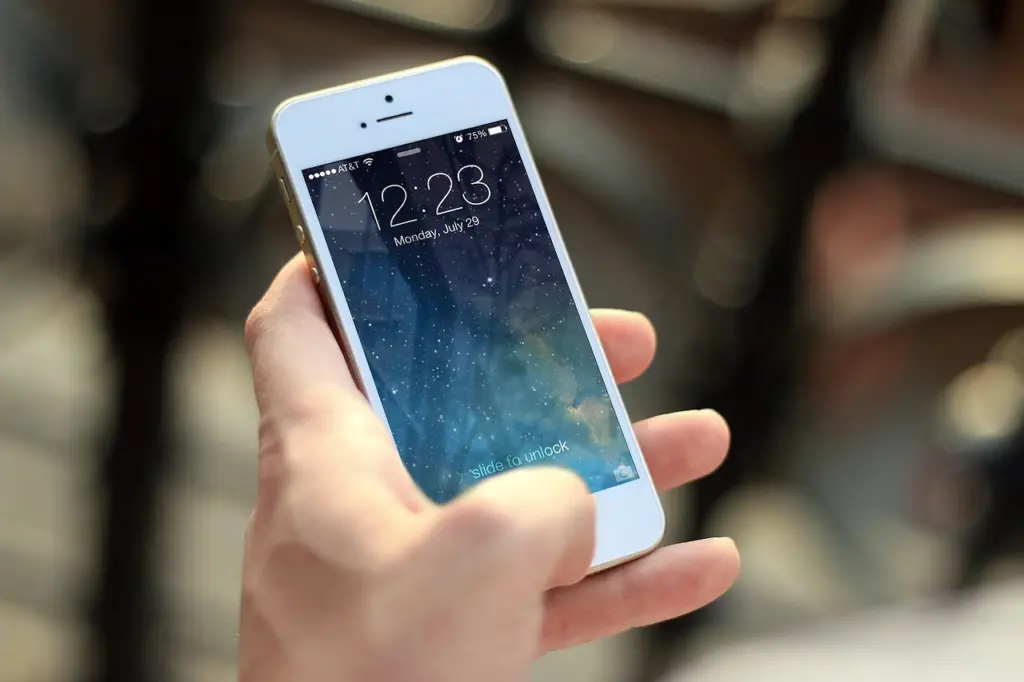
Apple was one of the pioneers of eSIM technology and offers a wide range of compatible devices. Since the launch of the iPhone XR and XS in 2018, all new iPhones have supported eSIM. Here is the list of iPhones that are eSIM-compatible:
- iPhone XS and iPhone XS Max
- iPhone XR
- iPhone 11, iPhone 11 Pro, and iPhone 11 Pro Max
- iPhone SE (2nd generation)
- iPhone 12, iPhone 12 Mini, iPhone 12 Pro, and iPhone 12 Pro Max
- iPhone 13, iPhone 13 Mini, iPhone 13 Pro, and iPhone 13 Pro Max
- iPhone 14, iPhone 14 Plus, iPhone 14 Pro, and iPhone 14 Pro Max
- iPhone 15, iPhone 15 Plus, iPhone 15 Pro, and iPhone 15 Pro Max
- iPhone 16, iPhone 16 Plus, iPhone 16 Pro et iphone 16 pro Max
For iPads, all cellular-enabled models from the iPad Air (3rd generation) onward and all iPad Pro models from the 3rd generation onward also support eSIM
Compatible Android Devices
The compatibility of eSIM extends to a variety of Android smartphones. Here are some of the main compatible devices:
Samsung Phones :
Samsung currently offers several eSIM-compatible smartphones, including the Galaxy S series and the Fold and Flip series. Below is a full list of supported devices:
- Galaxy A Series: Galaxy A35, Galaxy A55, Galaxy A54 5G (SCG21 and SC-53D in Japan, SM-A546B/DS international, SM-A546S in Korea, SM-A546U1 international)
- Galaxy S Series: Galaxy S20, S20+, S20 Ultra 5G; Galaxy S21, S21+ 5G, S21 Ultra 5G; Galaxy S22, S22+; Galaxy S23, S23+, S23 Ultra, S23 FE (note: China and Hong Kong models do not support eSIM); Galaxy S24, S24+, S24 Ultra
- Galaxy Note Series: Galaxy Note 20, Note 20 Ultra 5G
- Galaxy Z Flip Series: Galaxy Z Flip, Z Flip3, Z Flip4, Z Flip5, Z Flip6
- Galaxy Z Fold Series: Galaxy Fold, Z Fold2 5G, Z Fold3 5G, Z Fold4, Z Fold5, Z Fold6
Not compatible: Galaxy S20 FE 4G/5G, US versions of S20/S21, Galaxy Z Flip 5G (US), Galaxy Note 20 Ultra (US and Hong Kong), Galaxy Z Fold2 (US and Hong Kong), and several devices purchased in South Korea.
Note: eSIM compatibility may vary depending on the country the device is intended for. Before purchasing, it is recommended to check with your carrier to ensure eSIM support in your region.
Google Phones :
Along with Apple, Google was one of the first manufacturers to adopt virtual SIM cards. All Google Pixel smartphones from the Pixel 2 onward support eSIM. However, it is advisable to check with your carrier first:
Google Pixel Series: Pixel 2 (no dual SIM), Pixel 2 XL, Pixel 3 (not compatible in Australia, Taiwan, Japan, or with some US/Canada carriers except Sprint and Google Fi), Pixel 3 XL, Pixel 3a (not compatible in Japan and Verizon), Pixel 3a XL, Pixel 4, Pixel 4a, Pixel 4 XL, Pixel 5, Pixel 5a, Pixel 6, Pixel 7, Pixel 7 Pro, Pixel 8, Pixel 8 Pro, Pixel 8a, Pixel Fold
Motorola Phones :
With the launch of its Razr smartphone in 2019, Motorola eliminated the physical SIM slot to adopt eSIM-only technology, anticipating a future where this standard might become mainstream. Other manufacturers may follow this trend to optimize device space. Currently, Motorola’s eSIM-compatible smartphones include:
- Edge Series: Edge (2022, 2023, 2024), Edge+, Edge 40, Edge 40 Neo, Edge 40 Pro, Edge 50 Pro, Edge 50 Ultra, Edge 50 Fusion
- Moto G Series: G34, G52J 5G (Ⅰ, Ⅱ), G53J 5G, G53, G53S 5G, G54, G85, Moto G (2024), Moto G Power 5G (2024), Moto G Stylus 5G (2024)
- Razr Series: Razr 2019, 2022, 40, 40 Ultra
Huawei Phones :
Currently, only the Huawei P40, P40+, and Mate 40 Pro support eSIM.
Note: The P40 Pro+ and P50 Pro are not compatible.
These devices only support one eSIM at a time. On dual-SIM smartphones, adding an eSIM disables the second physical SIM slot, preventing the simultaneous use of two physical SIM cards with an eSIM.
Xiaomi Phones :
- Xiaomi 12T Pro
- Xiaomi 13, 13 Lite, 13 Pro, 13T, 13T Pro
- Xiaomi 14, 14 Pro
- Xiaomi Redmi Note 13 Pro, Redmi Note 13 Pro+
Sony Phones :
- Sony Xperia 1 IV, 1 V, 1 VI
- Sony Xperia 5 IV, 5 V
- Sony Xperia 10 III Lite, 10 IV, 10 V, 10 V Fun Edition SO-52D, 10 VI
- Sony Xperia Ace III
Sharp Phones :
- Sharp Aquos R7, R8, R8 Pro
- Sharp Aquos Sense 4 Lite, Sense6s, Sense 7, Sense 7 Plus
- Sharp Aquos Wish, Wish 2, Wish 3
- Sharp Aquos Zero 6
- Sharp Simple Sumaho 6
OPPO Phones :
- Oppo A55s 5G
- Oppo Reno: 5A, Reno 6 Pro 5G, Reno 9A
- Oppo Find: N2 Flip, X3, X3 Pro, X5, X5 Pro
Vivo Phones :
- Vivo V29, V29 Lite
- Vivo V40, V40 Lite, V40 SE
- Vivo X80 Pro
- Vivo X90 Pro
- Vivo X100 Pro
Other Phones :
- Doogee V30
- Fairphone 4, Fairphone 5
- Gemini PDA
- Hammer Blade 3, Hammer Explorer Pro, Hammer Blade 58
- Honor Magic4 Pro, Magic5 Pro, Magic6 Pro, Magic V2, Honor X8
- myPhone Now eSIM
- Nokia G60 5G, XR21, X30
- Nuu Mobile X5
- OnePlus Open, OnePlus 11, OnePlus 12
- Oukitel WP30 Pro, Oukitel WP33 Pro
- Rakuten Mini, Rakuten Big-S, Rakuten Hand 5G, Rakuten Big
- TCL 50 5G
- Vivo V29 Lite 5G (Europe only), Vivo X90 Pro
- ZTE Nubia Flip
eSIM-Compatible Tablets and Smartwatches
eSIM-Compatible Tablets

Apple Tablets:
The following Apple iPads support eSIM technology:
- iPad Pro
- 11-inch (3rd generation and later)
- 12.9-inch (5th generation and later)
- iPad Air (4th generation and later)
- iPad (9th generation and later)
- iPad Mini (6th generation)
Android Tablets:
- Samsung Galaxy Tab (from the S9 onward)
Windows Tablets:
- Surface Pro (5th and 7th generation)
- Surface Pro X (5th generation)
- Surface Pro 5 LTE Advanced
- HP Spectre Folio
- ACER Swift 7, ACER Swift 3
- ASUS Mini Transformer T103HAF
- VAIO Series 11, VAIO Series 13, VAIO Pro PG, VAIO Pro PF
Note: eSIM compatibility may vary depending on the country the device is intended for. Before purchasing, it is recommended to check with your carrier to ensure eSIM support in your region.
eSIM-Compatible Smartwatches
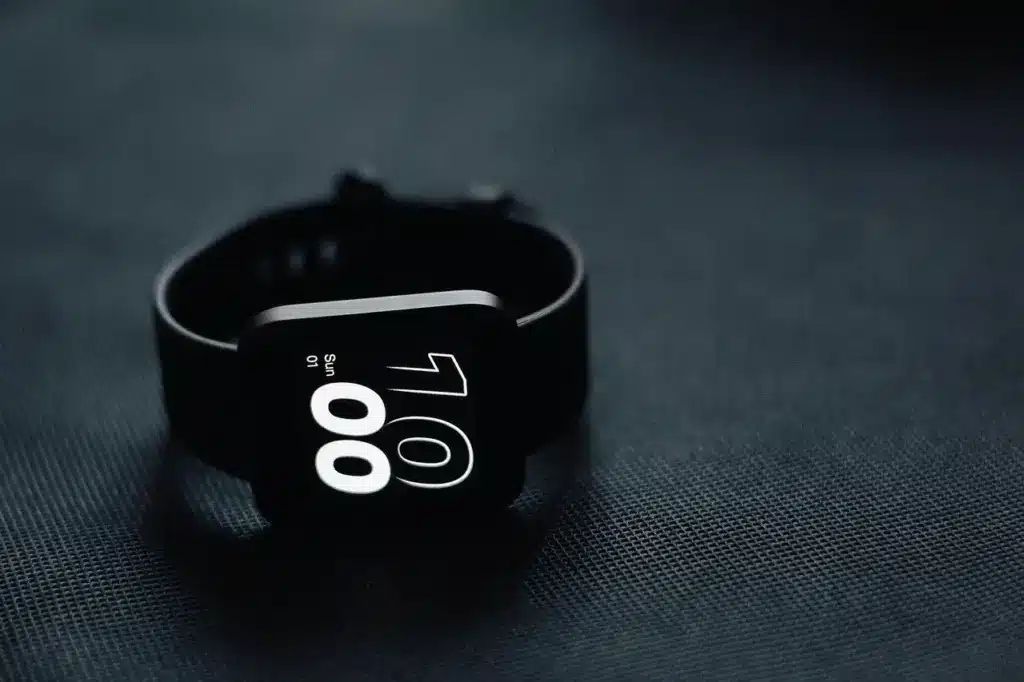
eSIM-enabled smartwatches offer standalone connectivity, allowing users to make calls, send messages, and access the internet without needing a smartphone nearby.
- Apple Watch: S3, S4, S5, S6, S7, S8, S9, Ultra, Ultra 2
- Google Pixel Watch and Pixel Watch 2 (LTE models)
- Fossil: Fossil Gen 5 LTE, Fossil Gen 6 LTE
- Garmin Forerunner 945 LTE
- Huawei Watch 2
- Samsung: Samsung Watch 1 to 7, Samsung Gear S2 3G Classic, Samsung Gear S3 Frontier (LTE), Samsung Gear S3 Classic (LTE)
- OnePlus Watch 2 (eSIM)
- Oppo: Watch, Watch 2, Watch SE, Watch Pro 3, Watch Pro 4
- TicWatch Pro 4G/LTE
- Vivo Watch
- Xiaomi Mi Watch, Watch 2 Pro, Watch S3
- Amazfit Nexo
Note: eSIM compatibility may vary depending on the country the device is intended for. Before purchasing, it is recommended to check with your carrier to ensure eSIM support in your region.
eSIM-Compatible Computers
For now, only Windows laptops with eSIM are available. Apple has not yet introduced a MacBook with this technology.

eSIM-compatible laptops are becoming more common, especially in professional and high-end ranges. With eSIM technology built directly into the device, users can connect to mobile networks without needing a physical SIM card, offering ideal flexibility for remote workers and international travelers.
- Acer: Acer Swift 3, Acer Swift 7, Acer TravelMate P2, Acer TravelMate Spin P4, Acer TravelMate P6, Acer Chromebook Spin 511, Acer Chromebook Spin 513.
- Asus: Asus Transformer Mini T103HAF, Asus NovaGo TP370QL, Asus VivoBook Flip 14 TP401NA.
- Dell: Dell Latitude: 7210 2-in-1, 7310, 7410, 7440, 9410, 9510, 5410, 5411, 5511.
- HP: HP EliteBook G5, HP ProBook G5, HP ZBook G5, HP Spectre Folio 13, HP Elite Folio 2-in-1, HP Elite Dragonfly 2, HP EliteBook 840 Aero G8.
- Lenovo: ThinkPad X1 Titanium Yoga 2-in-1, ThinkPad X1 Carbon Gen 9, ThinkPad X1 Fold, ThinkPad X1 Nano, ThinkPad X12 Detachable, Lenovo Flex 5G, Lenovo Yoga C630, Lenovo Mix 630, Lenovo Yoga 520, Lenovo Yoga 720 (2-in-1 models).
- Microsoft Surface: Go 2, Go 3 with LTE, Surface Pro LTE Advanced, Pro 7, Pro 8 LTE, Pro 9 with 5G, Pro X.
- Samsung Galaxy Book 2
- Panasonic Toughbook G2
Note: eSIM compatibility may vary depending on the country the device is intended for. Before purchasing, it is recommended to check with your carrier to ensure eSIM support in your region.
How to Check if Your Device Supports eSIM?
Smartphones
To check if your smartphone supports eSIM, first ensure that it is unlocked for use with any carrier. A locked device may not be compatible with eSIMs from carriers other than the original one.
Next, to confirm the presence of an EID (unique eSIM identification number), dial *#06# on your phone’s keypad. If your device supports eSIM, the EID number will appear. This number is essential, as it is required for eSIM activation with many carriers.
Additionally, check eSIM compatibility directly with your carrier, as certain features or services may vary depending on the country and device version.
Tablets and Smartwatches
Go to the connectivity settings or device information. If the device supports eSIM, the SIM management options should display the EID.
Computers
On Windows, go to Settings > Network & Internet > Cellular, then select Manage eSIM to check for the EID. If your Windows device is eSIM-compatible, the eSIM management option should be visible.
For other operating systems, check the network or cellular settings of your device.
Note: If you are unsure, refer to your device manual or the manufacturer’s website to confirm eSIM compatibility.
Conclusion
Choosing an eSIM-compatible device unlocks new connectivity possibilities. With an eSIM, you can enjoy a seamless connection, especially beneficial for travelers and tech enthusiasts. Find the best eSIM offers here!
Not all devices support both types of SIMs. Learn more about eSIM vs physical SIM to better understand compatibility issues.
If you’re unsure whether your Android phone supports eSIM, learn How to Check eSIM compatibility on your Android device? to confirm compatibility.
For more details, check out our articles:
Want to learn more about using two SIMs? Check out our complete guide: can I use eSIM and physical SIM at the same time