



Can I use an eSIM and a regular SIM card at the same time?
As smartphones evolve and mobile connectivity becomes more flexible than ever, users are increasingly seeking solutions that combine convenience, performance, and cost-efficiency. A common question arises among tech-savvy travelers, remote workers, and everyday users, can I use an eSIM and a regular SIM card at the same time?
The answer is yes, and it’s a game changer. Do you want to separate business and personal calls, cut roaming charges abroad or get more from your data plans on two mobile networks? Dual SIM functionality can be a real asset.
This article covers everything about using an eSIM and a physical SIM card at the same time. You will find compatible phones, setup steps, network management, key benefits and tips to choose the right plan. We’ll also help you decide if and when you might want to switch between eSIM and physical SIM, based on your mobile habits and coverage needs.

Is it possible to use an eSIM and a regular SIM simultaneously?
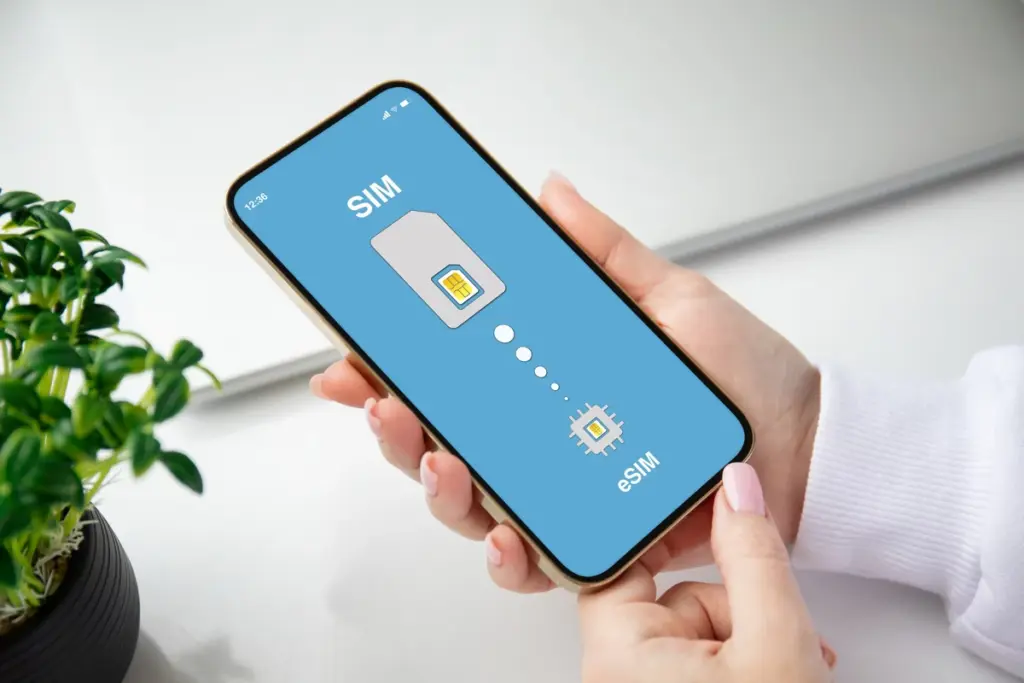
Yes, it is entirely possible to use both an eSIM and a physical SIM card simultaneously, provided your phone supports dual SIM functionality. This feature enables users to run two different mobile plans on a single device, eliminating the need to carry two phones or manually swap SIM cards.
This setup suits people who want to keep personal and professional lines separate. It also helps frequent travelers use a local data plan abroad without losing their regular number. For instance, you could use your eSIM for data abroad while keeping your regular SIM active for calls and texts from home. Dual SIM gives you the best of both worlds: cheap local data and your usual number, still reachable. The ability to switch seamlessly between networks based on coverage or price is one of the key advantages of modern smartphones equipped with this feature.
Which iOS and Android phones support this option?
Many modern smartphones support the simultaneous use of an eSIM and a physical SIM. Here’s an overview of the most popular models:
Dual SIM compatibility on iPhone
Recent iPhone models, starting from the iPhone XS, XS Max, and XR, support dual SIM via an eSIM and a physical SIM. Apple details the setup in its Dual SIM guide. Later models, like the iPhone 14 and iPhone 15, offer even more advanced options for managing calls, texts, and mobile data.
You can set up an eSIM as your primary line for work and a physical SIM as your secondary line for personal use, or vice versa. The dual SIM settings on iPhone make it easy to switch between lines. It works much like switching eSIM to regular SIM for different purposes.
Dual SIM compatibility on Android (Samsung, Google, etc.)
On Android, many high-end models support this feature. Samsung Galaxy smartphones (S and Note series) and Google Pixel phones are well-known for their dual SIM eSIM compatibility. Hybrid Android phones allow seamless switching between SIMs and the configuration of dual profiles to optimize call management, roaming, and data usage.
Each brand offers specific options, but most provide a smooth experience. You can manage multiple lines or switch eSIM to regular SIM if needed.
How to set up dual SIM on your phone?

Setting up dual SIM on a smartphone is generally straightforward, but the steps can vary between iPhone and Android. Here’s a step-by-step guide:
Steps for iPhone
- Access Settings: Open the “Settings” app and go to the “Cellular” or “Mobile Data” section.
- Add an eSIM: Select “Add Cellular Plan” and scan the QR code provided by your carrier or enter the details manually.
- Insert the Physical SIM: Place your SIM card into the designated slot.
- Configure Your Lines: Assign a primary and secondary line based on your needs (e.g., work calls on the eSIM and personal calls on the physical SIM).
- Customize Settings: Choose which line to use for mobile data, roaming, and enable automatic switching if needed.
Steps for Android
- Open Settings: Go to “Connections” or “Mobile Networks” in the settings menu.
- Add an eSIM: Look for the “Manage SIMs” or “eSIM” option, then scan the QR code provided by your carrier.
- Insert the Physical SIM: Place the physical SIM card into its designated slot.
- Set Priorities: Choose the primary line for calls, texts, and data, and configure the secondary line based on your preferences.
- Enable Roaming: If you plan to use your phone abroad, make sure to activate roaming on the appropriate SIM profile.
- Test the Setup: Make a call, send a text, and browse the internet to ensure everything works properly.
If you’re wondering how to activate an eSIM, most carriers provide a QR code or activation details to complete the setup.
Key benefits of using an eSIM and regular SIM
✅ Flexibility and convenience
Having two mobile lines on one device means you can easily toggle between your work and personal numbers. You won’t miss important calls or messages because you’re using a different SIM. Plus, there’s no need to carry two phones or swap out SIM cards.
✅ Optimized mobile data and network access
Dual SIM allows you to choose the best network available at any moment. If one carrier has better data speeds or broader coverage, you can switch without hassle. This is especially useful in rural areas or during travel when one network might outperform the other.
✅ Better cost management
Use a local eSIM plan while abroad to avoid hefty roaming charges from your home carrier. You can still keep your regular SIM active for essential communication like bank SMS codes or emergency calls. This makes international travel more affordable and convenient.
✅ Efficient SIM profile management
Modern smartphones allow advanced settings like scheduling SIM usage, assigning data-only functions, or turning off one line during non-business hours. This level of control adds professional-grade functionality to everyday phone usage.
Using an eSIM and a physical SIM at the same time is a practical and versatile solution for modern devices. If you’re unsure about which smartphone to choose, check out our eSIM comparison tool to find the best plans for your needs.
Want to know how a regular SIM card and an eSIM differ? Read our guide on what is an eSIM for expert advice on your settings. To choose, check out our eSIM comparison tool to find the best options for your needs.
Potential limitations to consider
- Device Compatibility: Not all devices support dual SIM with eSIM. Check your phone model before purchasing an eSIM plan.
- Battery Usage: Running two active connections can slightly reduce battery life, although the impact varies by phone model.
- Carrier Support: Some mobile operators still don’t support eSIM. Always confirm compatibility with your network provider.
- Initial Setup Complexity: Although generally easy, setting up dual SIM may require some technical understanding, especially when switching between eSIM and physical SIM.
When to switch between eSIM and regular SIM
There are scenarios where switching between an eSIM and a physical SIM might make sense:
- Traveling to areas without eSIM support
- Using a carrier that doesn’t yet offer eSIM activation
- Sharing your SIM card with another device temporarily
- Preferring physical SIM for work or legacy systems
Nonetheless, most users find the eSIM more practical in the long run. More carriers adopt it, and more devices drop physical SIM slots altogether.
In the ever-evolving landscape of mobile connectivity, the ability to use both an eSIM and a regular SIM card gives users a significant advantage. From managing multiple mobile plans, reducing roaming costs, to optimizing your phone’s network performance, dual SIM functionality is a feature worth exploring.
It empowers users to make smarter decisions about their data usage, network preferences, and mobile lifestyle, all from a single device.
Ready to find the best eSIM plans for your needs? 👉 Use our eSIM comparison tool to explore the most cost-effective and high-performance options available.
To use both a regular SIM and an eSIM, Android users must first verify if their phone supports dual SIM functionality. Here’s How to Check eSIM compatibility on your Android device? before setting things up.
Remain connected. Work efficiently. Stay in control with the power of dual SIM.